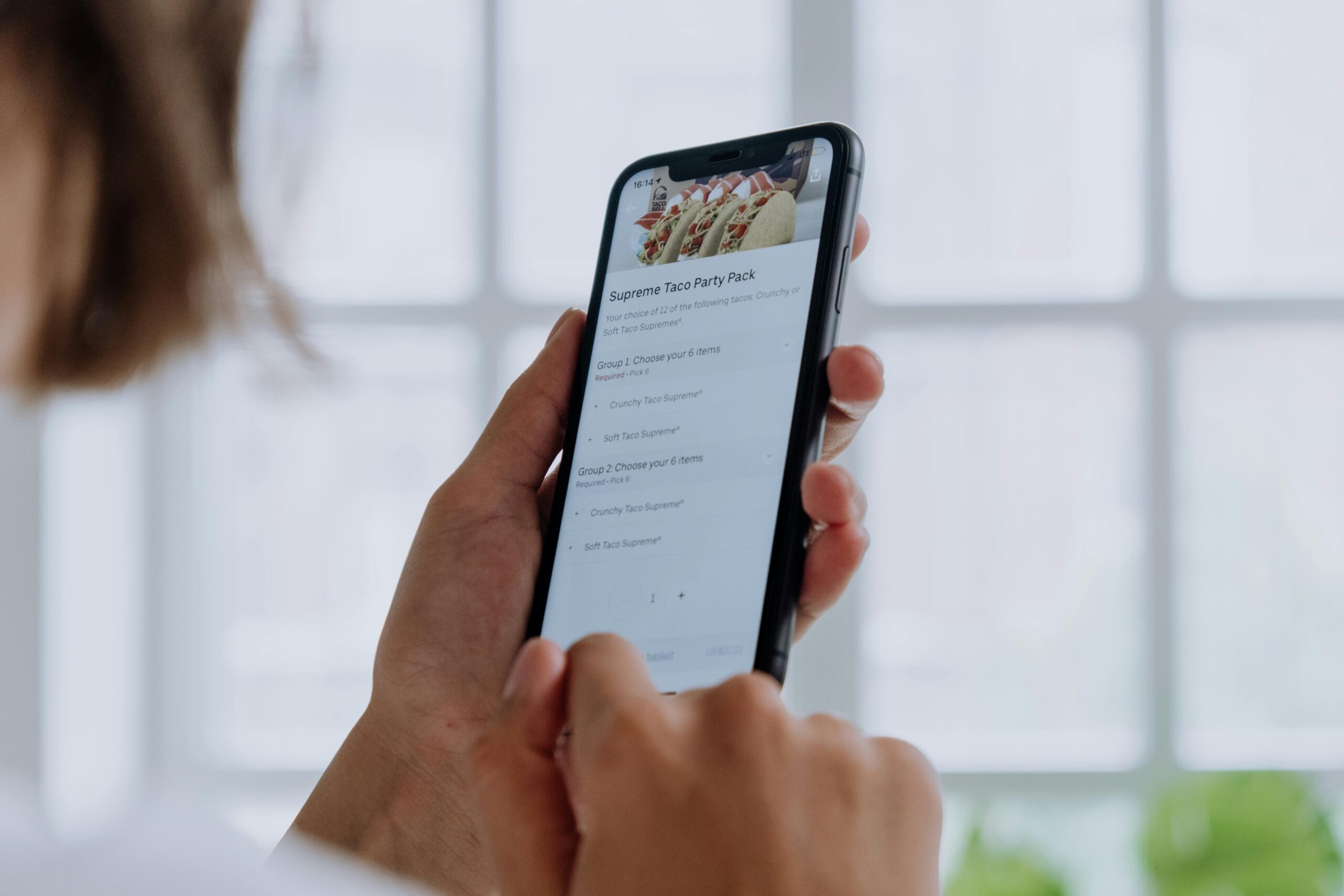
Confirmation steps are essential for preventing costly mistakes, but poorly designed ones can drive users away faster than you can say “Are you sure?”

🎯 Why Confirmation Steps Matter (And Why Users Hate Them)
Every day, users encounter dozens of confirmation dialogs, pop-ups, and verification steps while navigating apps and websites. These friction points exist for good reason: they prevent accidental deletions, unauthorized purchases, and irreversible actions. However, the challenge lies in implementing them without creating frustration that leads to abandoned carts, decreased engagement, or negative reviews.
The truth is that confirmation steps represent a delicate balance. Too few, and users might accidentally delete their entire photo library or purchase items they didn’t want. Too many, and you’ve created a bureaucratic nightmare that makes simple tasks feel like filling out government paperwork.
Research shows that unnecessary confirmation steps can reduce conversion rates by up to 30%, while their complete absence can lead to increased support tickets and refund requests. The goal isn’t to eliminate confirmations entirely but to implement them strategically where they provide genuine value without becoming obstacles.
🔍 Understanding When Confirmation Steps Are Actually Necessary
Not every action requires confirmation. The first step in creating a smooth user experience is identifying which actions genuinely need that extra layer of verification.
High-Stakes Actions That Demand Confirmation
Certain actions carry significant consequences that justify interrupting the user’s flow. These include:
- Permanent data deletion (deleting accounts, removing files, clearing histories)
- Financial transactions (purchases, transfers, subscription changes)
- Irreversible changes (publishing content publicly, sending mass communications)
- Security-sensitive operations (changing passwords, granting permissions)
- Legal commitments (accepting terms, signing agreements)
For these scenarios, confirmation steps aren’t just helpful—they’re essential for protecting both users and your organization from costly mistakes and potential liability.
Low-Stakes Actions That Don’t Need Extra Steps
On the flip side, many actions are easily reversible and don’t warrant confirmation dialogs. Over-protecting users from minor decisions creates learned helplessness and trains them to click through warnings without reading them.
Actions that typically don’t need confirmation include adding items to wishlists, marking emails as read, collapsing menu items, changing view preferences, or any operation with a clear undo function readily available.
🎨 Design Principles for User-Friendly Confirmations
Once you’ve identified where confirmations are necessary, the next challenge is designing them in ways that feel helpful rather than obstructive.
Use Clear, Specific Language
Generic confirmation messages like “Are you sure?” or “Do you want to continue?” provide no context about what the user is confirming. This forces users to rely on memory rather than the interface itself, increasing cognitive load and the likelihood of mistakes.
Instead, be explicit about what will happen. Rather than asking “Delete this item?”, specify “Delete ‘Quarterly Report 2024.pdf’ permanently? This cannot be undone.” The additional specificity takes milliseconds to read but dramatically reduces uncertainty.
Make the Consequences Crystal Clear
Users need to understand exactly what happens when they click that confirm button. Will data be permanently deleted or moved to a trash folder? Will charges appear immediately or at the end of the billing cycle? Will the action affect only them or other team members?
Transparency builds trust and reduces the anxiety that causes users to abandon actions midway through. When consequences are unclear, users often choose not to proceed rather than risk unknown outcomes.
Design Button Hierarchy Thoughtfully
The visual design of confirmation dialogs significantly impacts user behavior. The destructive or confirming action button should be styled differently from the cancel option, with color, size, and position all conveying meaning.
For dangerous actions like deletions, many designers place the destructive action on the right (where users expect primary buttons) but style it in red or a muted color. The cancel button might be more prominent or positioned as the default selection, requiring deliberate movement to confirm the risky action.
⚡ Progressive Confirmation: Matching Friction to Risk
Not all confirmations need the same level of friction. Progressive confirmation means calibrating the difficulty of confirmation to match the severity of the action.
Light Confirmations for Moderate Actions
For actions with moderate consequences, a simple modal dialog with clear buttons might suffice. These quick confirmations provide a moment of reflection without significantly interrupting workflow.
Examples include archiving emails, removing items from carts, or canceling in-progress uploads. A straightforward “Archive this conversation?” with “Archive” and “Cancel” buttons provides adequate protection without excessive friction.
Heavy Confirmations for Critical Actions
For genuinely dangerous actions, consider requiring additional verification steps. These might include typing a specific word or phrase, re-entering a password, or checking multiple acknowledgment boxes.
GitHub’s approach to repository deletion exemplifies this well: users must type the repository name exactly to confirm deletion. This ensures they’re fully aware of what they’re deleting and prevents accidental confirmations from muscle memory clicking.
Time-Based Confirmations
Another effective technique is introducing brief delays before dangerous actions complete. A button that says “Deleting in 5 seconds… Click to cancel” provides confirmation through inaction rather than requiring an explicit second click.
This approach works particularly well for bulk operations or scheduled actions where users might want a moment to reconsider without the system questioning their initial decision.
🔄 The Power of Undo: Reducing the Need for Confirmations
One of the most elegant solutions to the confirmation dilemma is making actions reversible rather than requiring upfront confirmation. When users know they can easily undo mistakes, they feel more confident taking action without confirmation dialogs slowing them down.
Implementing Effective Undo Functionality
Gmail’s approach to email deletion demonstrates this principle beautifully. Instead of asking “Are you sure you want to delete this email?” before every deletion, Gmail simply deletes the email and displays a non-intrusive notification: “Message deleted. Undo.”
This pattern respects user intent while providing a safety net. The undo option remains available for several seconds, giving users time to catch mistakes without forcing confirmation upfront for actions they intended.
When Undo Isn’t Enough
Undo functionality works best for actions that can be reversed within a reasonable timeframe and without affecting other users or systems. It’s less suitable for actions like sending emails to large groups, processing payments, or publishing content where immediate effects might be observed by others.
For these scenarios, confirmation remains necessary, but you can still reduce friction by making the confirmation interface informative and contextual rather than generic.
📱 Mobile Considerations for Confirmation Steps
Confirmation dialogs present unique challenges on mobile devices where screen space is limited and typing is more cumbersome than on desktop.
Touch-Friendly Confirmation Design
Mobile confirmation buttons need generous tap targets (at least 44×44 pixels) with adequate spacing to prevent accidental taps. Nothing frustrates users more than accidentally confirming a deletion while trying to cancel because the buttons were too close together.
Consider using swipe gestures as confirmation mechanisms for mobile apps. For example, requiring users to swipe a deletion button fully to the left creates natural friction that prevents accidental taps while feeling more native to mobile interactions than dialog boxes.
Reducing Typing Requirements
Typing confirmation phrases (like repository names) works reasonably well on desktop but becomes tedious on mobile. For mobile experiences, consider alternative confirmation methods like biometric authentication, PIN entry, or selecting from multiple choice options rather than requiring exact text input.
🧪 Testing and Iterating Your Confirmation Strategy
The effectiveness of confirmation steps isn’t something you can determine through internal discussion alone. Real user testing reveals where your confirmations help versus where they create unnecessary friction.
Metrics That Matter
Track completion rates for flows involving confirmations. If users frequently abandon processes at confirmation steps, you may have too much friction or unclear messaging. Conversely, high rates of support tickets about accidental actions suggest you need more robust confirmations.
Monitor how often users click through confirmations immediately versus pause to read them. If confirmations are routinely ignored, they’re either too frequent (training users to ignore them) or poorly designed (not commanding attention when needed).
A/B Testing Confirmation Approaches
Test different confirmation methods to see what works best for your specific audience and use case. You might compare traditional modal dialogs against inline confirmations, undo-based approaches against upfront confirmations, or different wording and button designs.
Remember that what works for one action might not work for another. Your testing strategy should evaluate confirmation approaches in the context of specific user flows rather than seeking a one-size-fits-all solution.
🎭 Contextual Intelligence: Smart Confirmations
The most sophisticated confirmation systems adapt based on context, user behavior, and risk assessment rather than applying the same confirmation pattern universally.
Adaptive Confirmation Based on User Patterns
Systems can learn from user behavior to adjust confirmation requirements. A user who has successfully completed dozens of similar actions might see streamlined confirmations compared to someone performing an action for the first time.
Financial apps often implement this through transaction limits. Small, routine transactions might require only biometric confirmation, while unusually large transfers trigger additional verification steps including SMS codes or security questions.
Risk-Based Confirmation Escalation
Confirmations can escalate based on detected risk factors. Deleting a single recent file might require one click, while deleting hundreds of older files triggers a more substantial confirmation with explicit consequences listed.
This approach ensures that routine, low-risk actions remain fast and friction-free while automatically adding protection for unusual or potentially dangerous operations.
♿ Accessibility Considerations for Confirmations
Confirmation dialogs must be accessible to all users, including those using screen readers, keyboard navigation, or other assistive technologies.
Ensure confirmation dialogs are properly announced by screen readers with clear indication of what’s being confirmed and what each button does. Use ARIA labels appropriately and make certain the dialog traps focus so keyboard users don’t accidentally navigate behind the modal.
Avoid relying solely on color to distinguish between confirm and cancel actions. Users with color blindness need additional visual cues like button size, position, or iconography to differentiate between options.
Consider that some users with cognitive disabilities may need more time to process confirmation messages. Avoid auto-dismissing confirmations too quickly and ensure language is as simple and clear as possible.
🌟 Real-World Examples of Effective Confirmation Design
Learning from successful implementations helps illustrate these principles in practice.
Slack’s Message Deletion
Slack uses a tiered approach: deleting your own recent message requires no confirmation—just an immediate undo option. Deleting older messages or others’ messages (if you’re an admin) requires explicit confirmation with clear consequences stated. This matches friction to risk while keeping common actions fast.
Banking App Security
Modern banking apps often combine multiple confirmation methods intelligently. Viewing your balance requires simple biometric authentication. Small transfers to known recipients might need a PIN. Large transfers to new recipients trigger multi-factor authentication and detailed confirmation screens showing exactly where money is going.
E-commerce Checkout Flows
Amazon’s one-click ordering represents the extreme end of reducing confirmation friction, but it works because they’ve built robust order cancellation and return processes. The confirmation happens after the fact through order confirmation emails and easy cancellation options rather than slowing down the initial purchase.
🚀 Building a Confirmation Strategy for Your Product
Implementing effective confirmation steps starts with a comprehensive audit of your current user flows.
Map every action in your application that currently has (or might need) confirmation. For each, honestly assess the actual risk if the action is performed accidentally versus the friction cost of adding confirmation. Many teams discover they’ve added confirmations defensively without real evidence they’re necessary.
Develop clear internal guidelines about when confirmations are required and what form they should take. This ensures consistency across your product and prevents different teams from implementing contradictory patterns that confuse users.
Document the specific wording, button styling, and interaction patterns approved for different confirmation scenarios. This documentation becomes a valuable resource for designers and developers, speeding up implementation while maintaining quality.
💡 The Future of Confirmations: Intelligent Assistance
As interfaces become more intelligent, confirmation systems are evolving beyond simple yes/no dialogs toward assistive interactions that prevent errors before they occur.
Predictive interfaces might detect when users are about to perform potentially unintended actions based on context. If you’re about to send an email to 10,000 people but typically send to small groups, the system might highlight this unusual aspect before requiring confirmation.
Machine learning can identify patterns in user mistakes and proactively add friction in those specific scenarios while removing it elsewhere. This creates personalized confirmation experiences that adapt to individual user needs rather than applying universal rules.

✨ Creating Confirmation Experiences That Build Trust
Ultimately, well-designed confirmation steps do more than prevent mistakes—they build user confidence and trust in your product. When users know your system will protect them from costly errors without unnecessarily slowing them down, they engage more freely and confidently.
The goal isn’t to eliminate all friction but to apply friction intentionally where it provides genuine value. Every confirmation step should be justifiable based on real risk assessment rather than defensive design or assumptions about user carelessness.
Think of confirmations as guardrails on a mountain road. They’re essential at dangerous curves and steep drops, but unnecessary on straight, safe stretches. Too many guardrails everywhere would be both expensive and annoying, suggesting you don’t trust drivers. Too few leaves people vulnerable at critical moments.
By matching confirmation friction to actual risk, using clear and specific language, implementing intelligent undo functionality, and continuously testing with real users, you create experiences that feel both safe and efficient. Users appreciate interfaces that respect their intent while providing appropriate safety nets—that’s the sweet spot where confirmation steps enhance rather than hinder the user experience.
Start by auditing your current confirmation patterns, eliminate unnecessary ones, strengthen critical ones, and test everything with actual users. The result will be smoother user flows, higher completion rates, and fewer support issues—all while maintaining the safety and security your users deserve.